Blog · · HoneyLabs
HoneyLabs feeds now ship with MISP
Two HoneyLabs feeds were merged into MISP's default feed set in PR #10864: active exploiters and malware infrastructure. Every MISP instance can now pull them with no API key and no manual config. What they contain and how to enable them.
HoneyLabs now ships two feeds in MISP's default set. They went in through
PR #10864 and live in
app/files/feed-metadata/defaults.json, so a current MISP install already lists them,
with no API key or account.
This is a walkthrough of what they contain, how they behave in MISP, and a couple of things worth knowing before you enable them. All the screenshots are a stock MISP 2.5 pulling the live feeds.
The two feeds
Under Sync Actions, then List Feeds, filter for HoneyLabs. Both are there and enabled, with caching on.
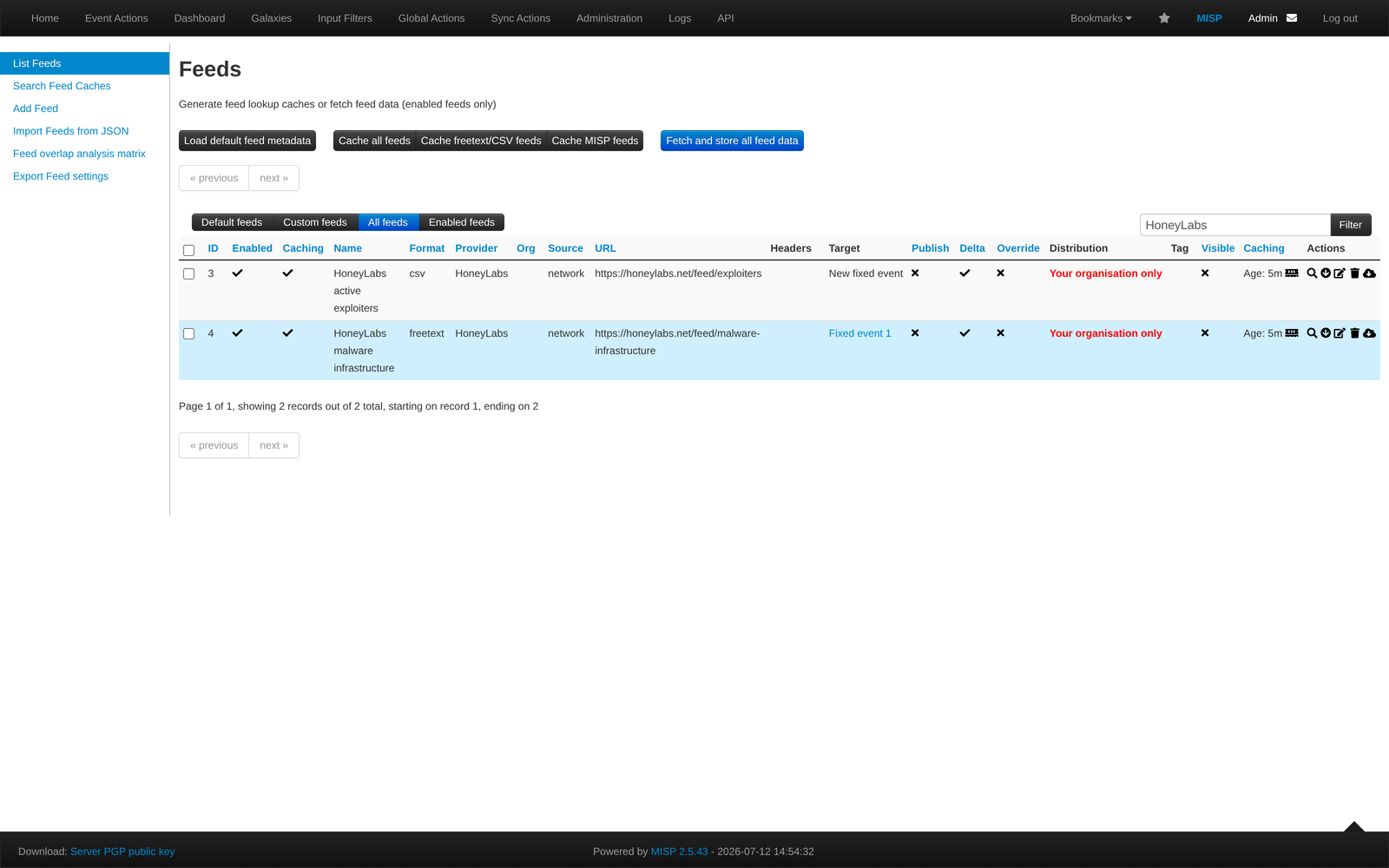
- HoneyLabs active exploiters (
https://honeylabs.net/feed/exploiters), CSV. Source IPs that sent an exploit or loader command to our sensors in the last 7 days. The window doubles as expiry: an IP drops off once it stops appearing. Recognised research and commercial scanners (Censys, Shadowserver and the rest) are removed before the list is built, more on that below. - HoneyLabs malware infrastructure (
https://honeylabs.net/feed/malware-infrastructure), freetext. Loader URLs pulled from those payloads, in the formhttp://<ip>:<port>/<path>.
Both use delta merge, so MISP keeps them current instead of appending forever.
How much they overlap your existing feeds
MISP has a tool for this under Sync Actions, the Feed overlap analysis matrix. It compares every cached feed against the others. Here are the HoneyLabs feeds next to CIRCL OSINT, Botvrij.eu, and three IP blocklists people commonly run: blocklist.de, CINS Army, and Feodo Tracker.
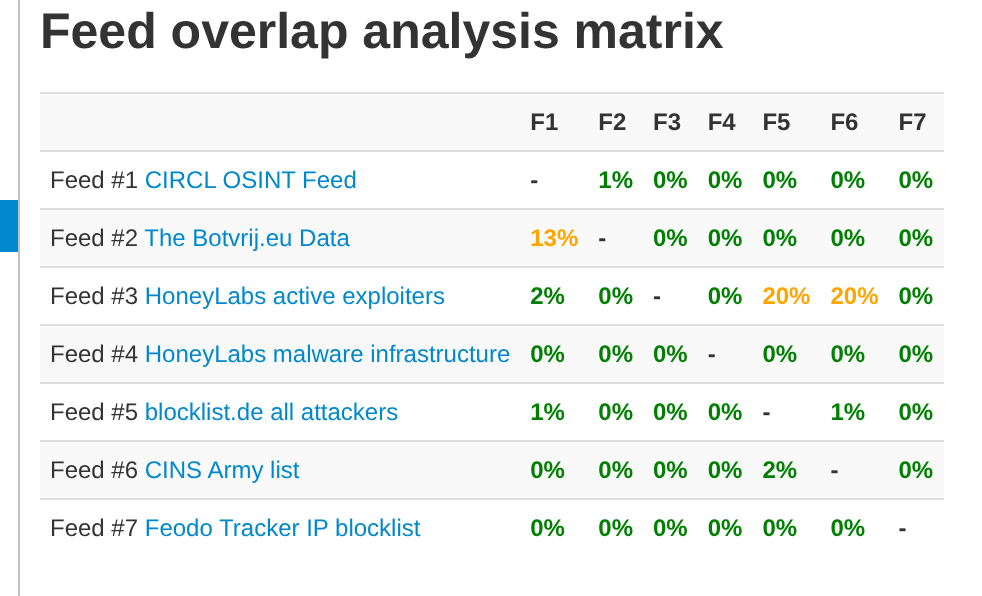
The exploiter list overlaps blocklist.de and CINS Army by 20 percent each, so where the feeds cover the same ground they agree, and the other 80 percent is addresses those lists do not carry. Feodo is at zero because it tracks banking-trojan C2, a different problem. The malware-infrastructure feed overlaps nothing, since URL feeds of this kind barely exist in the default set.
What happens with scanners
The exploiter list leaves out recognised scanners on purpose, using the same known-scanner data behind every verdict on the platform. Here is an event standing in for a firewall log: five source IPs plus one Shadowserver scanner. MISP marks the five against HoneyLabs and does not mark the Shadowserver IP. One of the five, 47.253.5.130, also matches CIRCL.
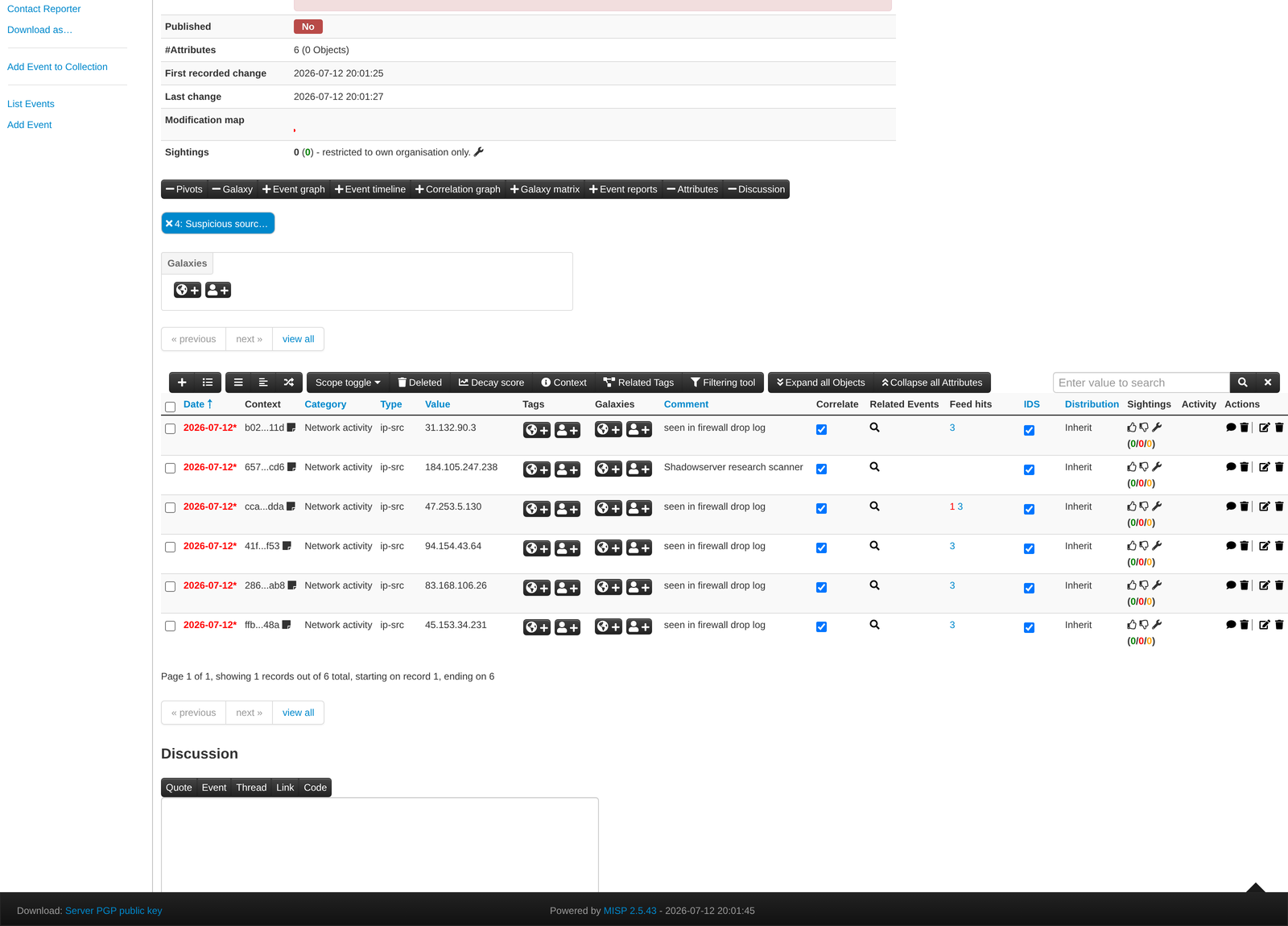
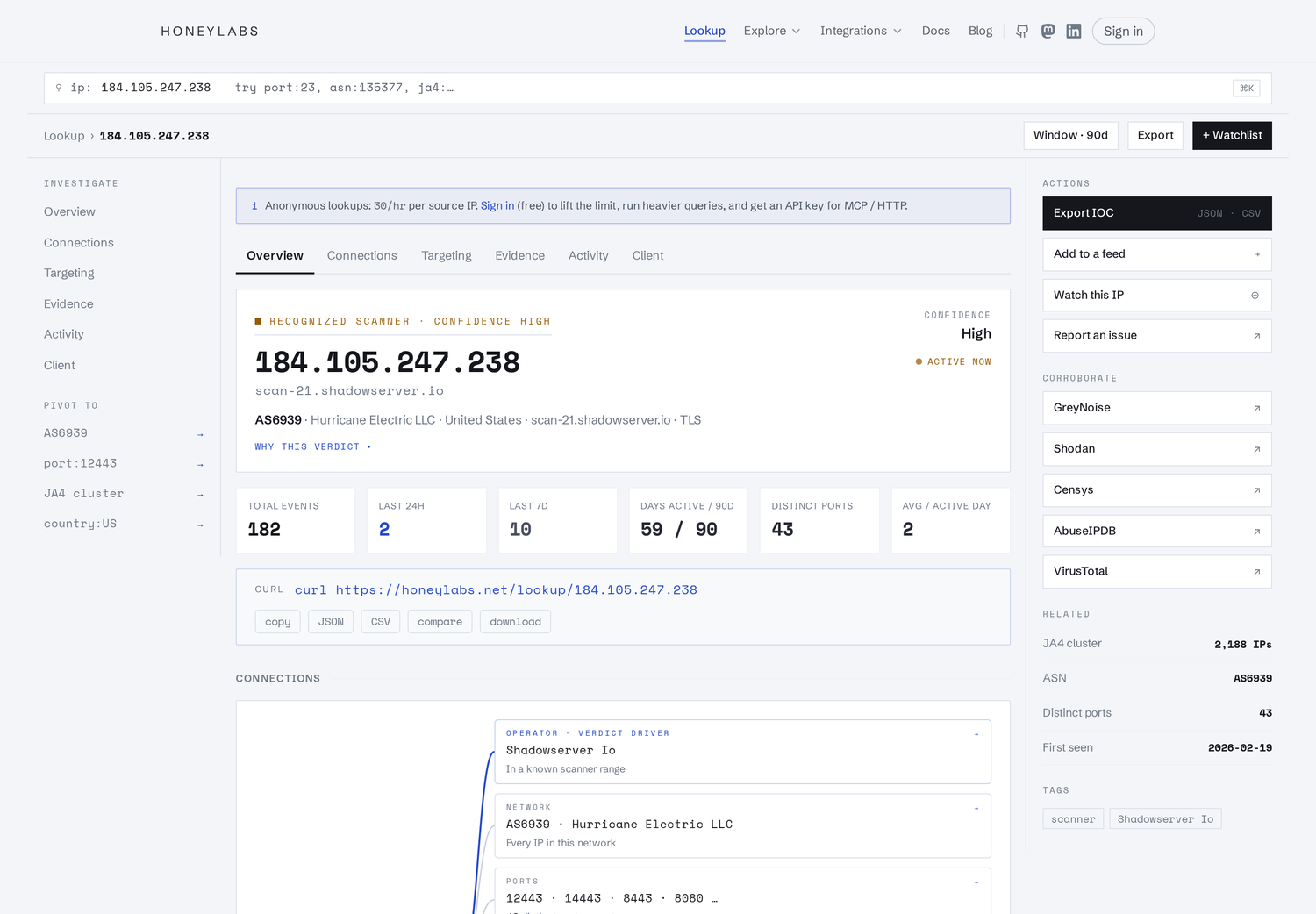
The Shadowserver IP is left out because the platform recognises it as one. Its lookup page shows why:
Looking up a flagged IP
The Feed hits column links back to the feed. Each IP also has a page on honeylabs.net if you want the context behind the indicator. Here is one of the flagged IPs from the event above:
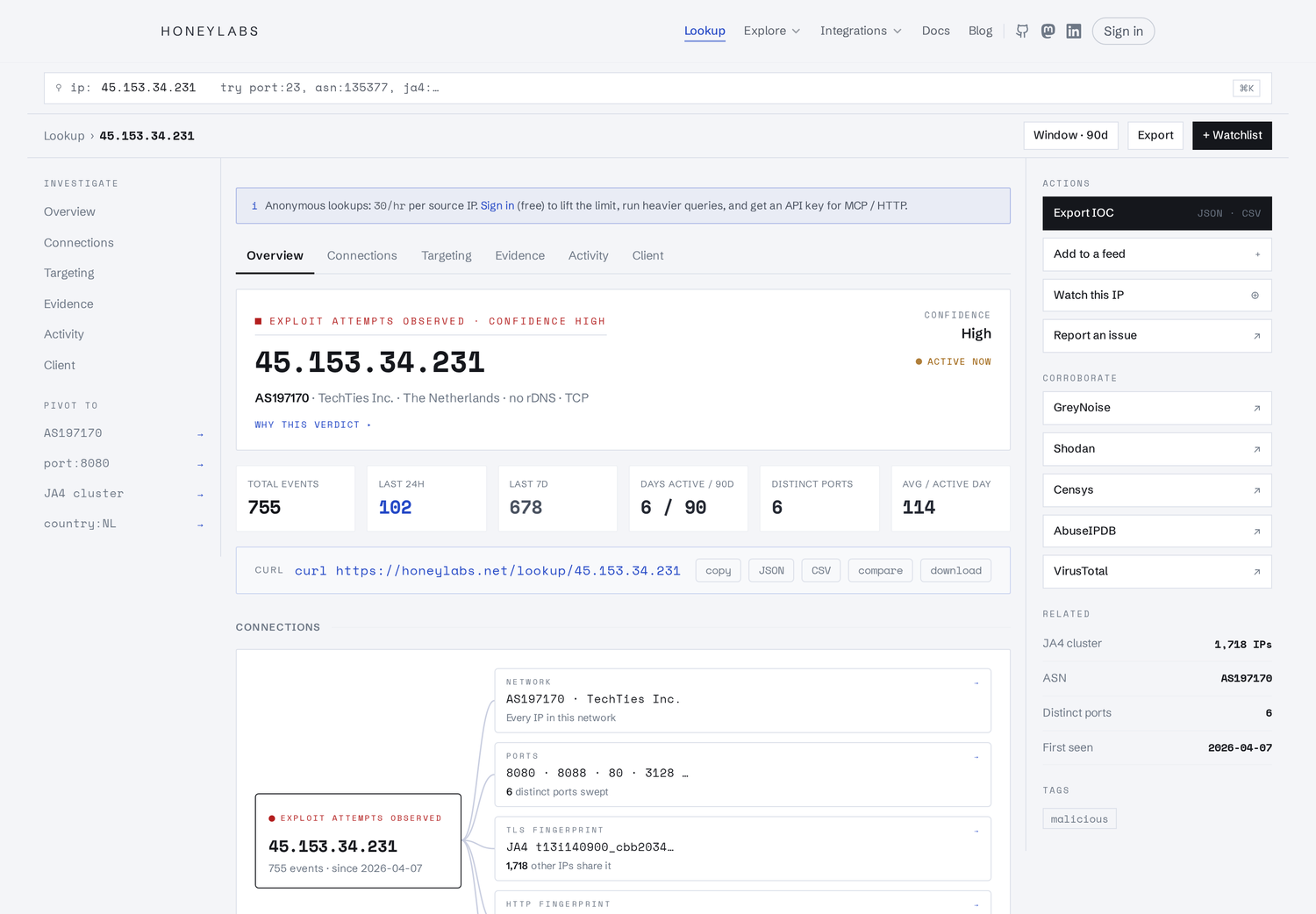
Ports hit, the JA4 TLS fingerprint and how many other IPs share it, first and last seen, and links out to GreyNoise, Shodan, Censys and VirusTotal for a second opinion.
The loader feed in MISP
MISP reads the malware-infrastructure feed as freetext and makes each line a url
attribute under Network activity.
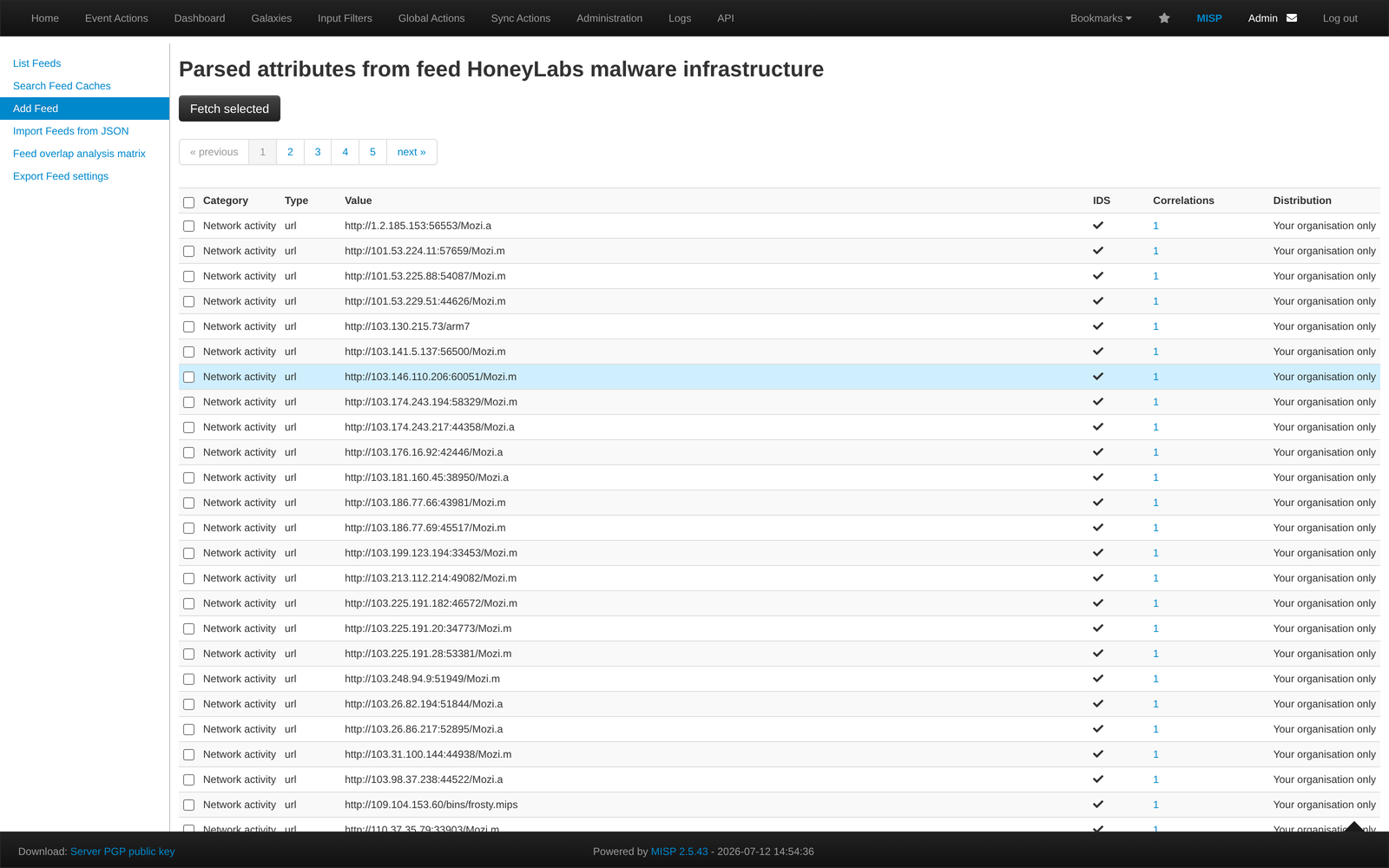
Worth being clear about scope: this is IoT and Linux botnet loader infrastructure, mostly Mozi and Mirai variants fetching ELF binaries. It is not a general malware feed. What you get is the address a freshly infected device tried to reach, which you can match against proxy and DNS logs.
Enabling them
Sync Actions, then List Feeds, filter for HoneyLabs. Both are already enabled. Use Cache
all feeds if you want correlation, or Fetch and store all feed data to pull them into
events. They carry the osint:source-type="block-or-filter-list" tag if you want to
route them into a blocklist export.
A step-by-step version of this, including how to add your own saved queries as extra MISP feeds, is at honeylabs.net/integrations/misp.
Notes
The feeds are free. They come from internet-facing honeypot sensors, and each indicator is one an attacker generated on its own. If you want to dig into any single IP, the lookup is at honeylabs.net/lookup. Questions or problems with the feeds are welcome.