Integrations · Elastic
Enrich Elasticsearch events with a HoneyLabs feed
The JSON feed drops straight into an index via Logstash's http_poller, and an enrich policy keyed on ip lets an ingest pipeline stamp every incoming event whose source IP HoneyLabs sensors have seen scanning.
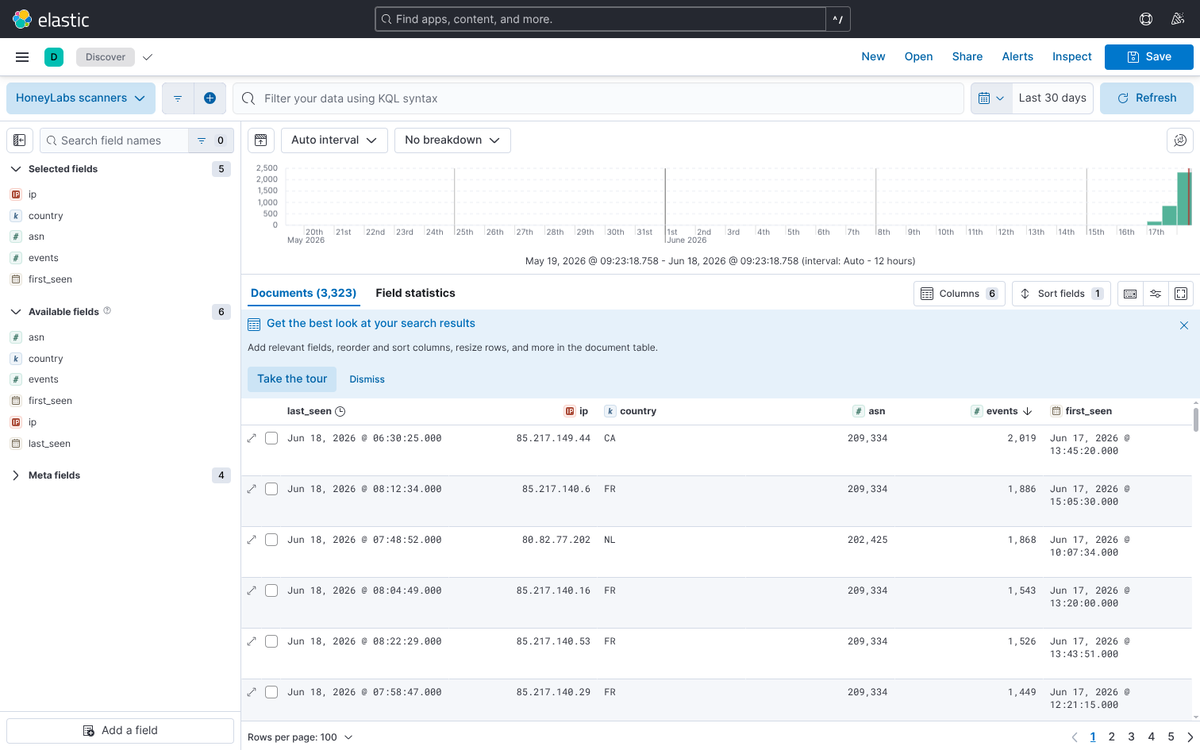
- 01
Save a query
Sign in (free) and save the HoneyLabs query you want the feed to track on the feeds page. Any lookup query works: a port, an ASN, a tag, or a boolean combination. The feed returns the source IPs currently matching it, so a tighter query means a tighter blocklist.
# Example saved queries and what they feed you port:22 AND NOT tag:scanner # SSH brute-forcers, known researchers removed tag:scanner # every recognized scanner IP cve:CVE-2024-4577 # IPs probing one specific CVE asn:14061 AND port:445 # SMB scans out of DigitalOcean - 02
Mint a feed token
On the same page, mint a feed URL for the saved query. The token alone authorizes the fetch: no cookies, no headers, safe to paste into an appliance. Mint one token per consumer so you can revoke a leaked URL without breaking the others.
# Your feed URL looks like https://honeylabs.net/feed/<token> # plain text, one IP per line https://honeylabs.net/feed/<token>.csv # ip,first_seen,last_seen,events,asn,country https://honeylabs.net/feed/<token>.json # same fields as JSON - 03
Poll the feed into an index
One http_poller input, index the rows. The json codec expands the feed's top-level array into one event per IP by itself, so no split filter is needed. The index stays small (one document per matching IP).
# logstash.conf input { http_poller { urls => { honeylabs => "https://honeylabs.net/feed/<token>.json" } request_timeout => 30 schedule => { every => "15m" } codec => "json" } } output { elasticsearch { index => "honeylabs-scanners" } } - 04
Enrich at ingest time
An enrich policy over that index, executed, then referenced from your ingest pipeline. Re-execute the policy on a schedule so the enrichment tracks the feed.
PUT /_enrich/policy/honeylabs-scanners
{ "match": { "indices": "honeylabs-scanners",
             "match_field": "ip",
             "enrich_fields": ["events", "asn", "country", "last_seen"] } }

POST /_enrich/policy/honeylabs-scanners/_execute

# In your ingest pipeline
{ "enrich": { "policy_name": "honeylabs-scanners",
              "field": "source.ip", "target_field": "honeylabs" } }
Worth knowing
- Enrich indices are snapshots: re-run _execute (a watcher or cron curl) at the same cadence as the poll.
- Kibana users can skip the pipeline and join ad hoc with ES|QL LOOKUP JOIN on the honeylabs-scanners index.
The feed is plain text (one IP per line), CSV, or JSON, is revocable per token, and is edge-cached for five minutes, so a tight refresh schedule never hammers anything. Create yours on the feeds page, or browse the other integrations.